
## How Prison Mail Scanning Works In Practice
You don’t need a manual to see the basic idea: incoming paper gets photographed or scanned so staff can inspect it without handing the original to an inmate right away. But the details matter, because scanning touches privacy, security, and the daily realities of people inside and out. Here I explain how prison mail scanning works in a practical, behind-the-scenes way that shows what actually happens in a facility.
### Why Facilities Scan Mail
Security is the obvious answer. Mail can hide anything from drugs in envelopes to notes that plan escapes. Scanning gives staff a way to look inside quickly. Yet that’s only part of it. Scanning also:
– Speeds up processing when a facility gets hundreds of envelopes a day.
– Creates a digital record to track who sent what and when.
– Reduces handling of potentially contaminated paper.
Some prisons started scanning more actively after incidents where contraband slipped through or when health concerns made handling paper risky. The choice to scan, and how it’s done, varies by jurisdiction and by the size of the facility.
### Step By Step: What Happens To A Piece Of Mail
This is the workflow you’ll see in many institutions. Details change, but the sequence is consistent.
Intake
An envelope arrives at a central mailroom. Staff check sender information and make sure postage and addressing are valid. Anything that looks damaged, soaked, or suspicious gets pulled for special handling.
Initial Screening
Before a document is scanned, it’s passed through a quick physical screen. That can be as simple as feeling for unusual thickness or weighing the envelope. Some places use X-ray or chemical screening for powders. If something triggers concern, staff escalate.
Scanning
The item moves to the scanning station. There are two common methods:
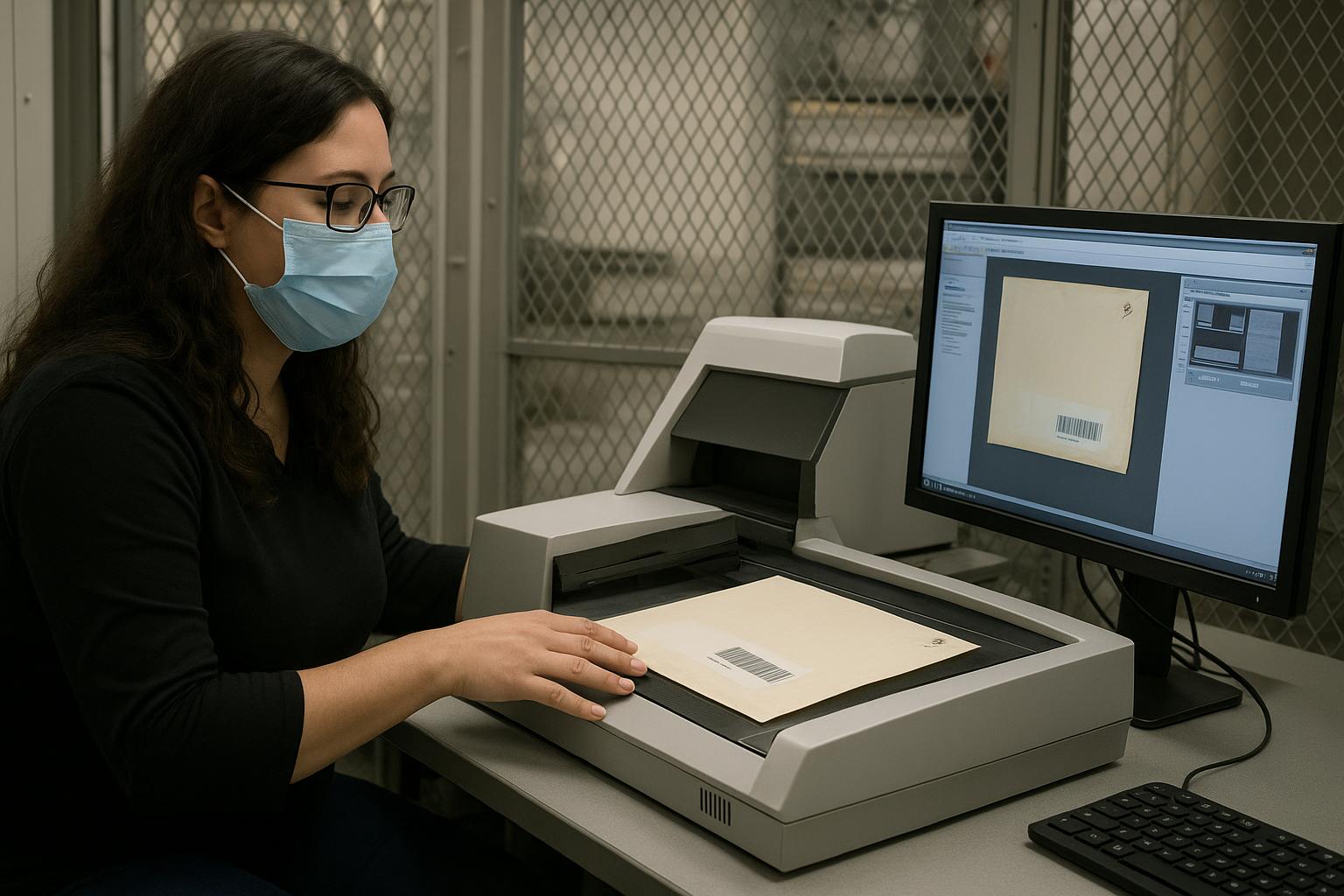
– Full-Page Scan: The envelope is opened and each page is scanned on a flatbed or feeder scanner. High-resolution images capture handwriting and stamps.
– Envelope Imaging: A photo of the envelope and its contents may be taken without opening, depending on policy and technology.
Scans are often converted to PDF and stored in a secure system. OCR (optical character recognition) may run to make text searchable. That matters when staff are hunting for particular phrases or names.
Review
A trained staff member examines the digital image for contraband indicators: unusual markings, coded language, or attached items. If nothing suspicious shows up, the image is approved for delivery.
Distribution
Depending on policy, inmates may receive printed copies of the documents, or the original pages may be delivered after inspection. Some jurisdictions keep the original and give only a photocopy. Legal mail is handled differently in many places; it may get special logging or be opened only in the presence of the inmate if allowed.
Retention And Access
Digital images are stored with access controls and audit trails. Staff can show a timestamped log if an inmate disputes what was sent or if a sender claims their mail never arrived.
### Equipment And Software
Four kinds of tools show up most often.
Flatbed Scanners
Good for fragile items and for capturing high-resolution images. They cost more in time because each page is handled individually.
Automatic Feed Scanners
Faster for bulk mail. They jam on odd-sized pages or glued enclosures, so staff still intervene regularly.
Photographic Stations
High-resolution cameras in a lightbox capture images of envelopes and non-standard inserts. They’re fast and flexible.
Software Systems
A back-end database stores images. It can enforce access rules, log views, and integrate OCR. More advanced systems include automated flags based on keyword lists or pattern recognition.
Security measures in the software side matter as much as the hardware. Encrypted storage, role-based access, and immutable logs reduce the risk of tampering and unauthorized viewing.
### Balancing Security And Rights
People often ask about privacy. Inmates still have some rights to correspond, and courts have sometimes ruled that overly broad scanning violates legal mail protections. Here’s how facilities try to balance both:
– Legal Mail: Mail from attorneys usually gets special handling. Typically it is not read during routine scanning, or it’s opened in the inmate’s presence for contraband only. Policies vary.
– Third-Party Mail: Family photos or religious materials can be sensitive. Some systems allow redaction or limit who can view images.
– Appeals And Disputes: If an inmate claims an item was wrongly withheld, the digital record helps resolve that dispute more quickly than relying on memory.
### Training, Quality Control, And Human Judgment
Technology does a lot of work, but staff training is crucial. A scan is only as useful as the person who interprets it. Staff need to recognize:
– Concealed compartments or altered pages.
– Coded language that looks innocuous to an untrained eye.
– How to document a chain of custody when contraband is found.
Facilities usually have quality controls. Supervisors randomly review a subset of processed mail to check for missed indicators or improper handling. These checks reduce false negatives and build trust in the system.
### Privacy, Storage, And Legal Risks
Storing digital images raises new questions. How long should copies be kept? Who gets to see them? What happens if a system is breached? Policies must address:
– Retention periods that comply with law and internal rules.
– Audit logs showing who accessed an image and when.
– Encryption at rest and in transit.
Prison mail scanning systems that are lax on security can create privacy violations and legal exposure. Even with secure systems, mistakes happen. One misrouted file or a poorly controlled login can let unauthorized people view intimate content. That’s why many facilities restrict access to named roles only.
### Common Problems And Workarounds
Backlogs
Large facilities can get overwhelmed. During holidays, mail spikes and scanning times increase. Some jails use temporary staff or outsource scanning to meet demand. Outsourcing raises additional privacy concerns because third parties handle sensitive content.
Unreadable Scans
Handwritten notes, smudges, or unusual inks produce poor OCR results. Staff must read images manually, which costs time. Some places ask families to use black ink and avoid colored paper to improve legibility.
Damage And Retention
Opening, scanning, and copying can damage fragile documents. When families send keepsakes, staff must balance preservation against security. Some facilities will photocopy the content and return the original, while others retain the original for a period.
Missed Contraband
No system is perfect. Scanners and automated checks miss things. That’s why multi-layered screening—visual, chemical, and manual—is standard. When contraband is later discovered, facilities trace the digital records to understand what failed.
### Transparency And Communication With Families
One predictable source of friction is families who feel their mail vanished. Clear policies and communication help. Some facilities provide online portals where senders can check delivery status or view images of the item they sent. That cuts down on disputes and reduces the number of inmates filing grievances for missing mail.
Explaining procedures in plain language matters. Telling a family that an envelope was scanned and the image was delivered as a printed copy avoids confusion. When senders know to avoid staples, glue, or paperclips, scanning is faster and fewer items are rejected.
### Innovations And The Future
Vendors are working on more sophisticated scanning tech. Machine learning can flag unusual patterns and prioritize staff review. Better OCR handles messy handwriting. Integration with inmate databases can automatically route images to appropriate reviewers.
Still, high-tech systems introduce new challenges. More automation means more potential for false flags, and reliance on software can obscure when a human should intervene. Facilities need clear escalation rules so that an automated hit doesn’t automatically mean a punitive action for the inmate.
### What You Can Expect When Sending Mail
If you’re sending a letter, assume it will be scanned. Handwrite clearly. Avoid glued items and unfamiliar inks. Put a return address and include identifying details like the inmate’s full name and ID number. Expect that what arrives will either be a printed copy or the original after inspection. Some correspondence may be delayed for further review.
If you represent an attorney, clarify with the facility how legal mail is treated. If you’re a family member and worry about privacy, ask about redaction policies and how images are stored.
### Mail Scanning Explained In Plain Terms
At its core, mail scanning is about converting physical pages into images to make inspection faster and less risky. The goal is to prevent contraband and create a record. The real work of how prison mail scanning works happens in the choices a facility makes: which devices to use, how to train staff, how to store files, and how to treat legal and sensitive correspondence. Getting those choices right requires balancing safety, law, and human decency, not just buying the newest scanner.
### Who Oversees Compliance And Accountability
Oversight comes from multiple places: internal audits, state corrections departments, and sometimes courts. Grievance mechanisms let inmates raise complaints about mishandled mail. External watchdogs or ombudsmen may inspect systems in larger jurisdictions. When an error occurs, the digital trail from the scanning system often becomes the primary evidence to resolve disputes, show timelines, or identify procedural lapses.
Implementation varies widely. Some places have robust, well-documented processes. Others are more improvised. That variability explains why people inside the system sometimes recieve conflicting experiences about mail handling.



Leave a Reply